Blood Sugar Diary for Diabetes
- 4.5
- Rating
- 5.00M
- Installs
- Free
- Price
 Analysis by App-foxy
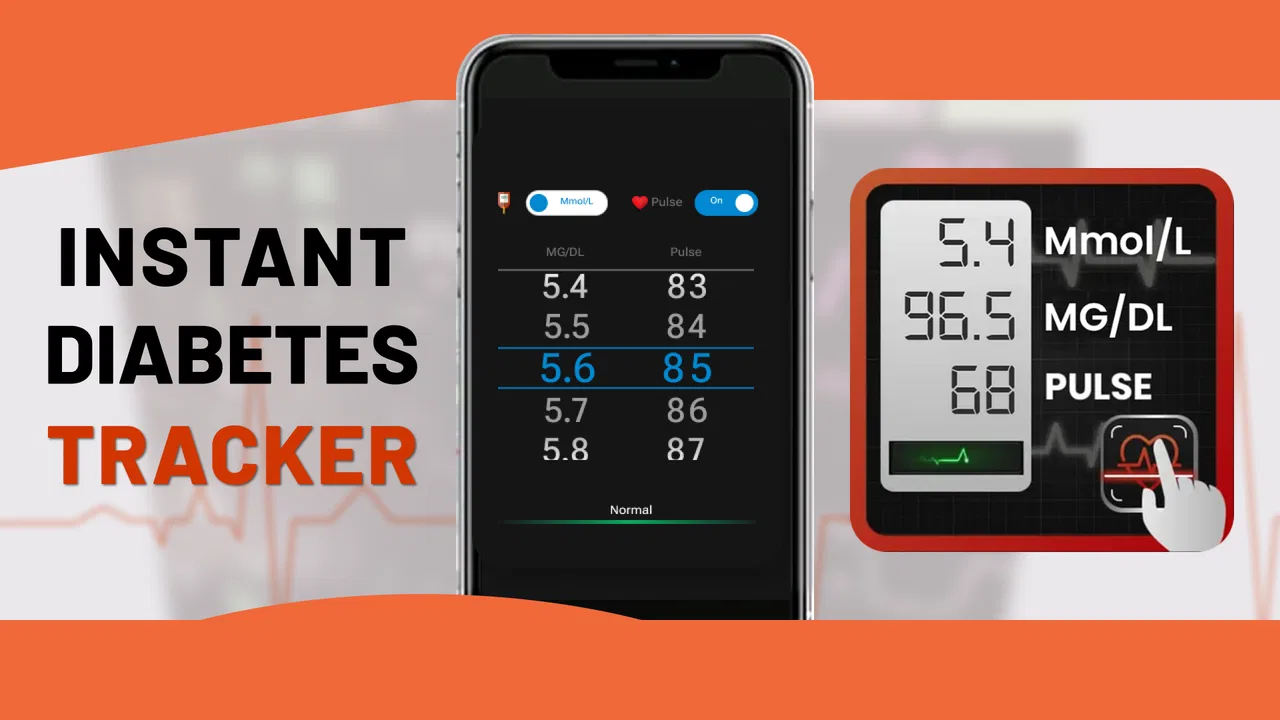
Managing blood glucose can become surprisingly complicated once readings start piling up. A notebook may be easy to begin with, but it is harder to search, compare, or turn into a useful picture of daily habits. Blood Sugar Diary for Diabetes is designed for that exact gap: it gives me a focused place to record readings, follow changes, and review patterns without turning the experience into a full medical platform.
I see it as a practical logging tool rather than a replacement for a glucose meter, a clinician, or professional medical advice. That distinction matters. The app can help organize information, but the quality of the information still depends on how consistently and accurately I enter it. Used with that expectation, it can make everyday tracking less scattered.
What I would look for before choosing a glucose diary
My first decision criterion is speed. A blood sugar log only works when I am willing to use it repeatedly, including on busy mornings, after meals, or when I am away from home. Blood Sugar Diary for Diabetes belongs to the medical category, but its appeal is its narrow purpose. Instead of asking me to manage an entire health profile, it centers the routine around glucose readings.
You May Also Like

 AccuWeather: Weather Radar
AccuWeather Review: A Quick, Clear Forecast for Everyday Decisions
For everyday plans, the best forecast is the one you can understand quickly. AccuWeather makes rain timing, radar, and local conditions easy to act on, with a few trade-offs.

 Hill Climb Racing
Why Hill Climb Racing Still Turns Crashes Into One More Run
A tiny car, a bumpy hill and one more upgrade: Hill Climb Racing keeps resurfacing because its simple chaos makes every near-miss feel personal.

 AliExpress - Shopping App
AliExpress Makes Global Shopping Feel Personal, but Shoppers Bear the Risk
AliExpress turns a global marketplace into a pocket-sized discovery engine. Its reach is useful, its shopping loop compelling, and its trade-offs easy to miss.

 Lords Mobile: Kingdom Wars
Lords Mobile Is a Kingdom-Building Routine, Not a Quick Match
A case-by-case verdict on the building, battles, device demands, and social commitments that make Lords Mobile rewarding for some players and exhausting for others.

 PDF Scanner app - TapScanner
TapScanner Makes Paperwork Easier to Capture, Check, and Share
TapScanner makes scanning with a phone feel less like a rescue operation and more like a dependable step in getting work done. Its capture tools are useful, though not flawless.

 Block Blast!
 Shows How Much a Puzzle Game Can Leave Out
A quiet grid game shows why puzzle players increasingly value instant clarity, repeatable skill and low-pressure play—and where the genre still needs to catch up.
More From Our News Desk
View All News


The second criterion is whether the records become easier to understand later. Recording a number is useful, but reviewing a sequence is more valuable when I am trying to notice whether readings tend to change around meals, exercise, medication routines, stress, or sleep. The app’s focus on monitoring, tracking, analyzing, and converting readings makes it more useful than a simple blank note, especially for someone who wants a history that can be revisited.
I also consider who will use the information. Some people only need a private personal log. Others want a clearer record to discuss during an appointment. In both cases, consistency matters more than a flashy interface. I would rather have a modest diary that I actually maintain than a larger health app that I open once and abandon.
There is also a learning curve that is easy to underestimate. Any tracking app asks me to create a habit: check the reading, open the diary, enter it carefully, and add enough context for the number to make sense later. If I skip the context every time, the resulting history may look precise while remaining difficult to interpret. That is why I would judge this app by how naturally it fits into my existing glucose-check routine, not simply by the number of screens it offers.
How I use it in an ordinary day
A realistic routine might begin before breakfast. I check my glucose with my usual device, then record the result in Blood Sugar Diary for Diabetes while the timing is still clear. Later, after eating or following another scheduled check, I add the next reading. At the end of the day, I can look back at the sequence instead of trying to remember isolated numbers.
The useful insight is not necessarily one individual result. It is the relationship between several entries and their surrounding circumstances. If I make a habit of recording the same kind of context each time, the diary becomes easier to discuss with a healthcare professional. For example, noting whether a value was taken before or after a meal can be more helpful than filling the app with irregular entries that have no timing attached.
I would also avoid using the diary as a reason to react impulsively to one unexpected number. A tracking app is strongest when it supports a broader conversation and a consistent routine. It should help me notice what deserves attention, not encourage me to diagnose myself from a single entry.
Where this app wins through focus
The biggest strength is concentration. Blood Sugar Diary for Diabetes is not trying to be a general fitness dashboard or a social wellness service. Its store short description identifies it as a blood sugar diary, and that narrow identity is useful for people who want a dedicated record rather than a collection of unrelated health tools.
That focus can reduce friction in a few important ways. I do not have to turn a glucose entry into a full lifestyle journal every time. I can approach the app with one clear task: preserve a reading so it can be reviewed later. For a person who already has a meter and only needs an organized companion, that may be enough.
Another advantage is the possibility of converting scattered personal records into something more manageable. A paper notebook can work, but searching through it is slow, and a phone note can become an unstructured list. A dedicated diary gives the information a more appropriate home. The practical gain is not that the app makes a measurement more accurate; it is that it can make the history easier to follow.
In my view, this makes it especially suitable for someone beginning to take tracking seriously, someone moving away from handwritten notes, or someone who wants a separate tool for glucose rather than a broad health suite. The app has reached over five million installs and holds a 4.4 average from around twenty-one thousand ratings, which suggests that this focused approach has found a substantial audience.
Small workflow choices that improve the record
One non-obvious improvement is to establish a naming habit for situations that repeat. If the app allows me to add notes or context around entries, I would keep those labels consistent instead of alternating between phrases such as “morning,” “before food,” and “breakfast check.” Consistent wording makes later review less confusing, even when the underlying reading history is unchanged.
A second useful habit is to review the diary at a set time rather than opening it only when a reading surprises me. A short weekly review can reveal missing periods, inconsistent timing, or repeated circumstances that deserve a question for my clinician. This turns the app from a passive storage box into a preparation tool for a medical conversation.
A third trade-off is detail versus speed. Adding every possible note may feel thorough, but it can make the routine tiring. I would record the context that genuinely changes interpretation and keep the rest simple. The best diary is not the one with the longest entries; it is the one that remains usable after the novelty wears off.
Where another kind of app may fit better
Blood Sugar Diary for Diabetes is not automatically the best choice for every person with diabetes. Someone who wants nutrition planning, exercise tracking, medication reminders, appointment management, or broader chronic-care tools may prefer a comprehensive health application. A dedicated glucose diary can feel limited when the goal is to connect many parts of daily life in one place.
There is also a difference between logging and automatic data collection. If I want readings to flow directly from a connected meter or wearable, I would first check whether my preferred device and workflow are supported. A manual diary may be a better fit for someone who wants control and simplicity, while a connected ecosystem may suit someone who strongly dislikes typing values into a phone.
People who need clinician-facing collaboration should also think carefully about their workflow. A personal record can still be useful during an appointment, but it is not the same as a service built around shared care, remote monitoring, or direct professional review. In that situation, the platform recommended by a healthcare team may be the more sensible option, even if it feels less convenient for casual personal logging.
Privacy expectations can influence the decision too. I would read the app’s current permissions and privacy information before entering sensitive health details, particularly if I plan to store a long history. That is not a criticism unique to this app; it is a sensible step for any medical diary. The important point is to choose a tool whose handling of personal records matches my comfort level.
Compatibility, age rating, and everyday accessibility
The app is free to download and is rated for Everyone, making it approachable for a wide range of users. It runs on Android devices using version 5.0 or later, so people with older compatible phones may still be able to use it. The current version is 1.2.5, a detail worth checking against the version available on the device before relying on it for a new tracking routine.
There are in-app purchases ranging from $0.99 to $99.99 per item. That does not make the basic download unsuitable, but it does mean I would pay attention to what is included at no cost and what may require payment before building my entire workflow around a particular function. For a simple diary, the free starting point may be sufficient; users looking for expanded capabilities should review the purchase screens carefully.
The developer is Cards, and the app was released on May 29, 2020. Its continued presence and large install base make it feel like an established option rather than a brand-new experiment, although I would still keep the app updated and occasionally confirm that it continues to suit my needs.
The cost of changing from paper or another tracker
Switching tools has a hidden cost: rebuilding the habit. If I already use a paper notebook, I may need to decide whether to enter only new readings or recreate older history. I would usually start with new entries and keep the notebook nearby for reference, rather than spending hours copying everything and losing motivation before the new routine begins.
Moving from a general notes app has a different challenge. Notes are flexible, but their flexibility often produces inconsistent formatting. A dedicated diary may require a little more structure, yet that structure is exactly what makes later review easier. I would test the app for several days with my normal checking schedule before deciding whether the extra step is worthwhile.
Switching from another glucose tracker can be more demanding if I depend on a particular export, synchronization, or sharing process. Before moving permanently, I would preserve my previous records in the format already available to me and verify that the new routine captures the details I actually use. The most important records are not just the numbers but also the timing and context that help explain them.
There is another practical cost: attention. If an app makes me spend too long entering each result, I may delay logging and create gaps. My advice is to begin with the smallest reliable routine, then add detail only after the basic habit is stable. A shorter, complete history is more useful than an ambitious but unfinished one.
Who should choose it, and who should skip it
I would recommend Blood Sugar Diary for Diabetes to someone who wants a dedicated, straightforward place for glucose records and is comfortable entering readings manually. It is a sensible starting point for replacing paper notes, keeping a personal history, or preparing more organized information for a healthcare discussion.
I would be more cautious about recommending it to someone who expects automatic device integration, advanced care-team communication, or an all-in-one health management system. Those needs point toward a different category of product. I would also skip it if I know I will not maintain manual entries; no diary can compensate for a routine that is too inconvenient to follow.
For anyone trying it, I would begin with a clear purpose: track readings around a particular routine, improve the consistency of records, or prepare for an upcoming appointment. After using it for a while, I would ask whether the history is actually helping me recognize patterns and communicate more clearly. If it is, the app is doing its job. If it merely stores numbers that I never review, a simpler method or a more automated alternative may be better.
My final view is positive but measured. Blood Sugar Diary for Diabetes is most valuable as a focused record-keeping companion, not as a medical decision-maker. Its free entry point, dedicated purpose, and broad availability make it easy to try, while the paid items and possible manual-entry burden are reasons to examine the workflow before committing. I would recommend it to readers who want a focused glucose diary and are willing to build a consistent habit around it.
Used thoughtfully, it can turn a loose collection of readings into a more readable personal history. That is a modest goal, but for daily diabetes management, modest tools that I actually use can be more helpful than feature-heavy alternatives that never become part of my routine.
FAQs for Blood Sugar Diary for Diabetes
01What features does Blood Sugar Diary for Diabetes offer?
Blood Sugar Diary for Diabetes offers comprehensive features including blood glucose tracking, insulin dosage recording, and customizable reminders. It also provides detailed charts and reports to help users monitor their trends over time. Integration with health apps and devices ensures seamless data synchronization for a holistic view of your health.
02Is Blood Sugar Diary for Diabetes user-friendly for beginners?
Yes, Blood Sugar Diary for Diabetes is designed with a user-friendly interface, making it accessible for beginners. The app provides step-by-step guides and easy-to-navigate menus, ensuring that users can quickly input data and access the information they need without any technical difficulties.
03Can I export my data from Blood Sugar Diary for Diabetes?
Absolutely, the app allows users to export their data in various formats, which can be shared with healthcare providers. This feature is particularly useful for keeping track of your progress and ensuring that your medical team has up-to-date information on your diabetes management.
04Does Blood Sugar Diary for Diabetes support multiple user profiles?
Yes, the app supports multiple user profiles, allowing families or caregivers to manage and track the blood sugar levels of different individuals. Each profile can be customized with specific settings and reminders, making it convenient for managing diabetes across multiple users.
05Is there a cost associated with Blood Sugar Diary for Diabetes?
Blood Sugar Diary for Diabetes offers a free version with basic features, but there may be in-app purchases for premium features such as advanced analytics or ad-free experiences. Users can choose the version that best suits their needs and budget, ensuring flexibility and accessibility.
Pros
- User-friendly interface for easy tracking.
- Customizable reminders for medication.
- Detailed graphs for blood sugar trends.
- Syncs with health apps for comprehensive data.
- Secure data storage with cloud backup.
Cons
- Limited sync options with some devices.
- Ads in free version can be intrusive.
- No offline mode for data entry.
- Requires subscription for advanced features.
- Occasional bugs in data syncing.

Blood Sugar Diary for Diabetes
Gallery